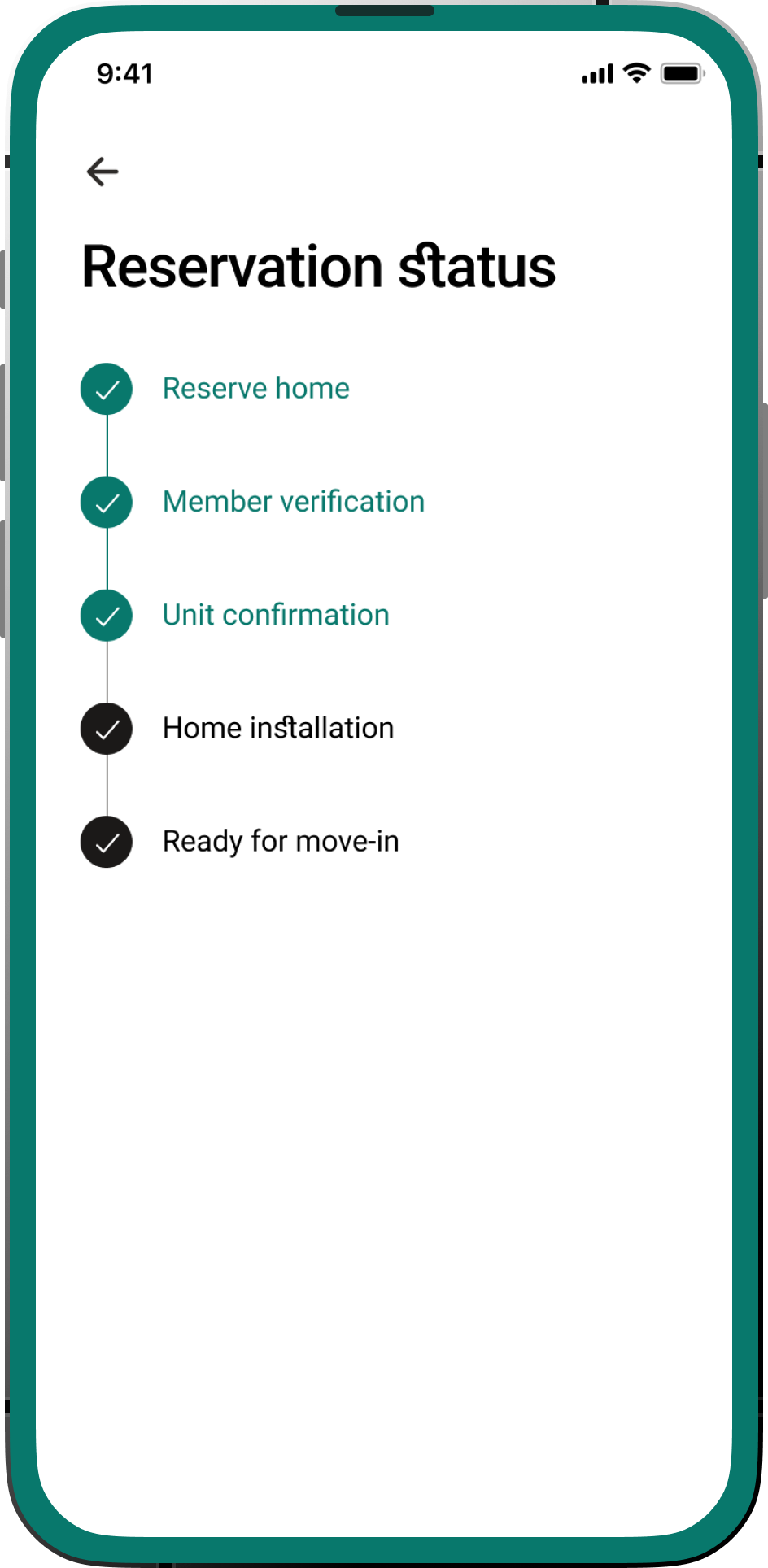
Hello Landing: Self Check-in and Tenant Manage/Extend Lease Functionality.

Project Overview

To design and implement a comprehensive suite of features within the Hello Landing member platform that would enable member check-in, facilitate direct host communication, centralize check-in instructions, empower reservation management within the mobile application and enhance member satisfaction.

Problem

The current lease extension process likely involves manual paperwork, phone calls, emails, or in-person visits to the property management office. This can be inconvenient for tenants, time-consuming for both parties, and potentially lead to delays or missed renewal deadlines.
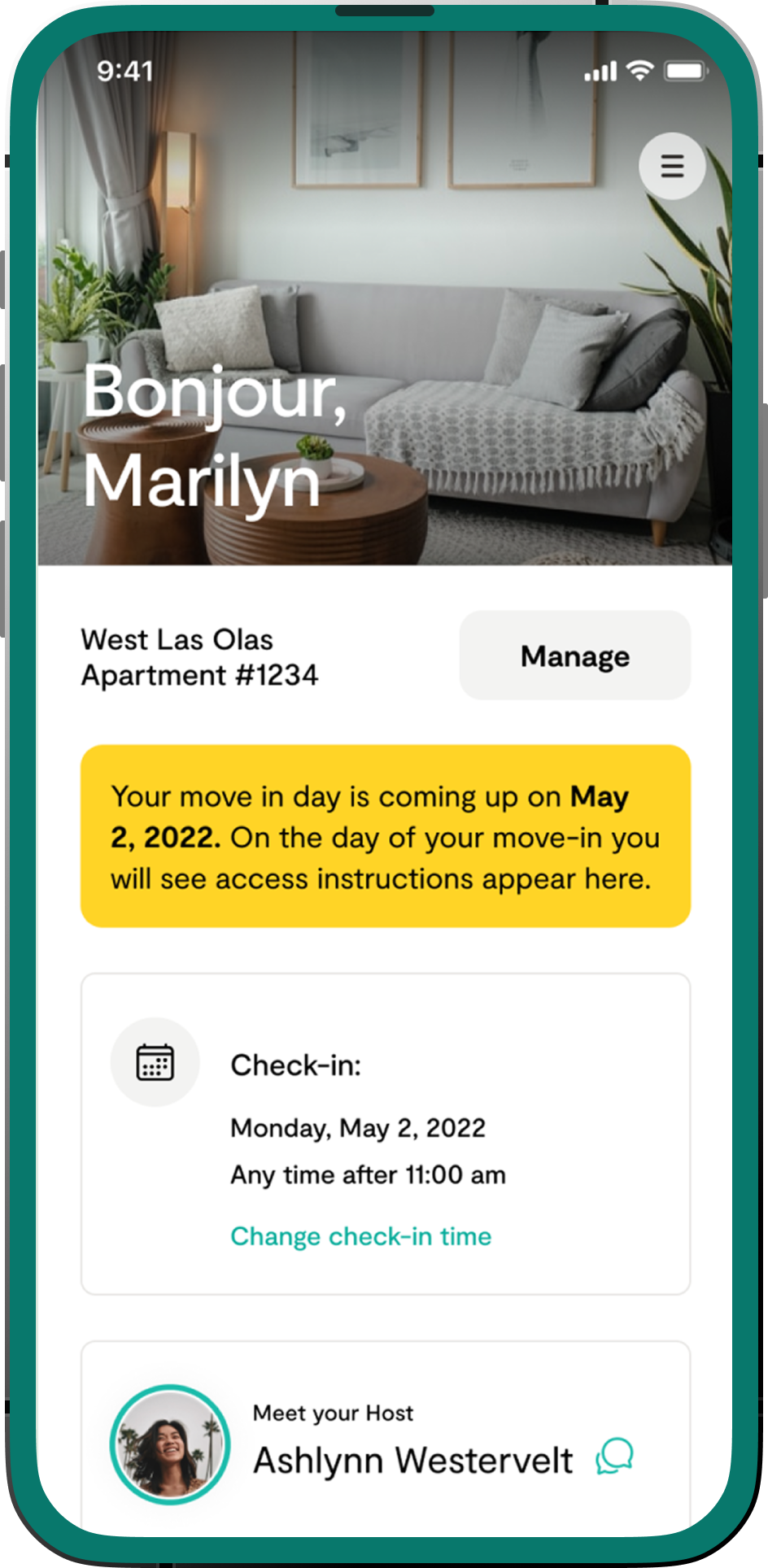
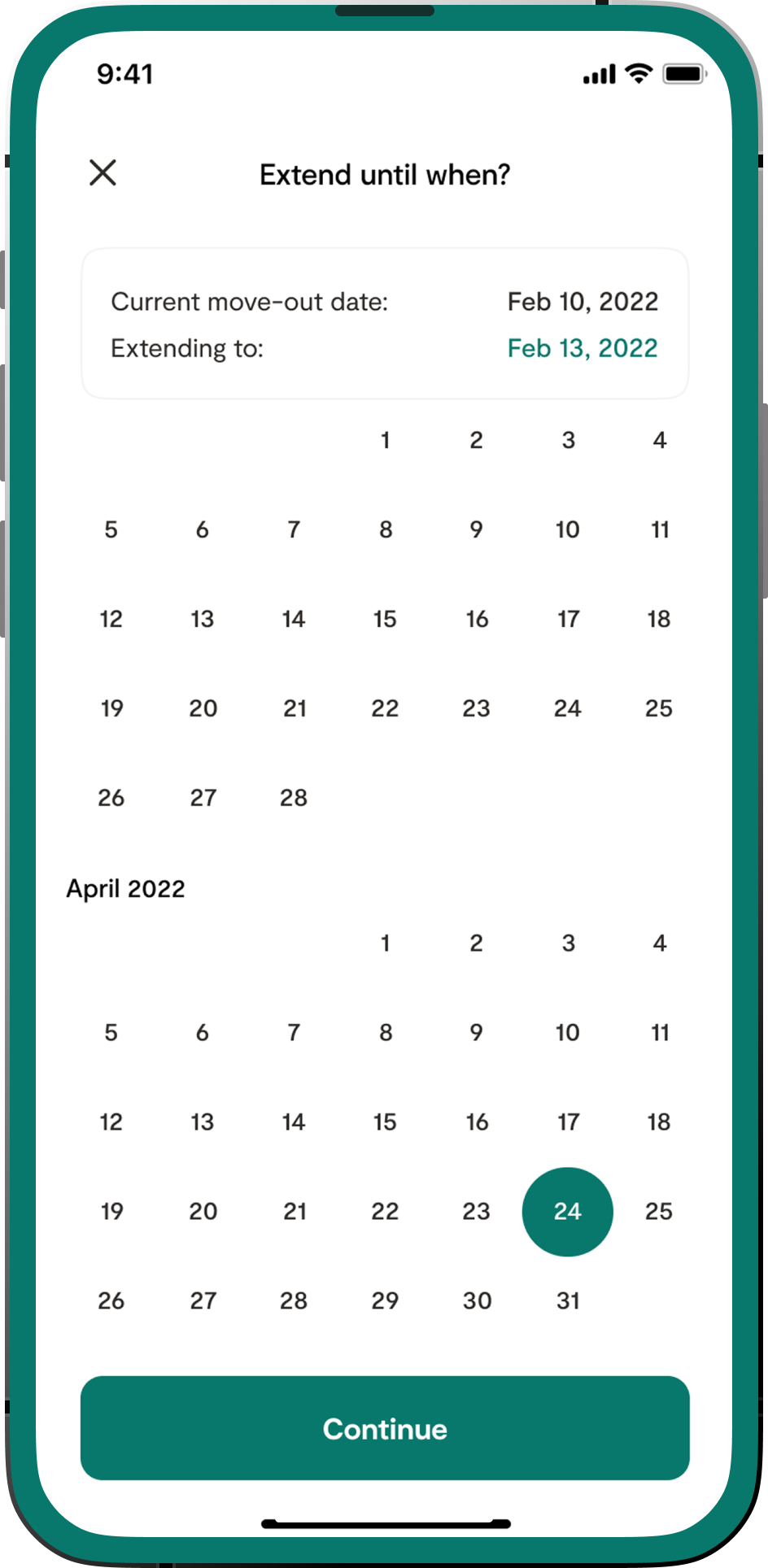
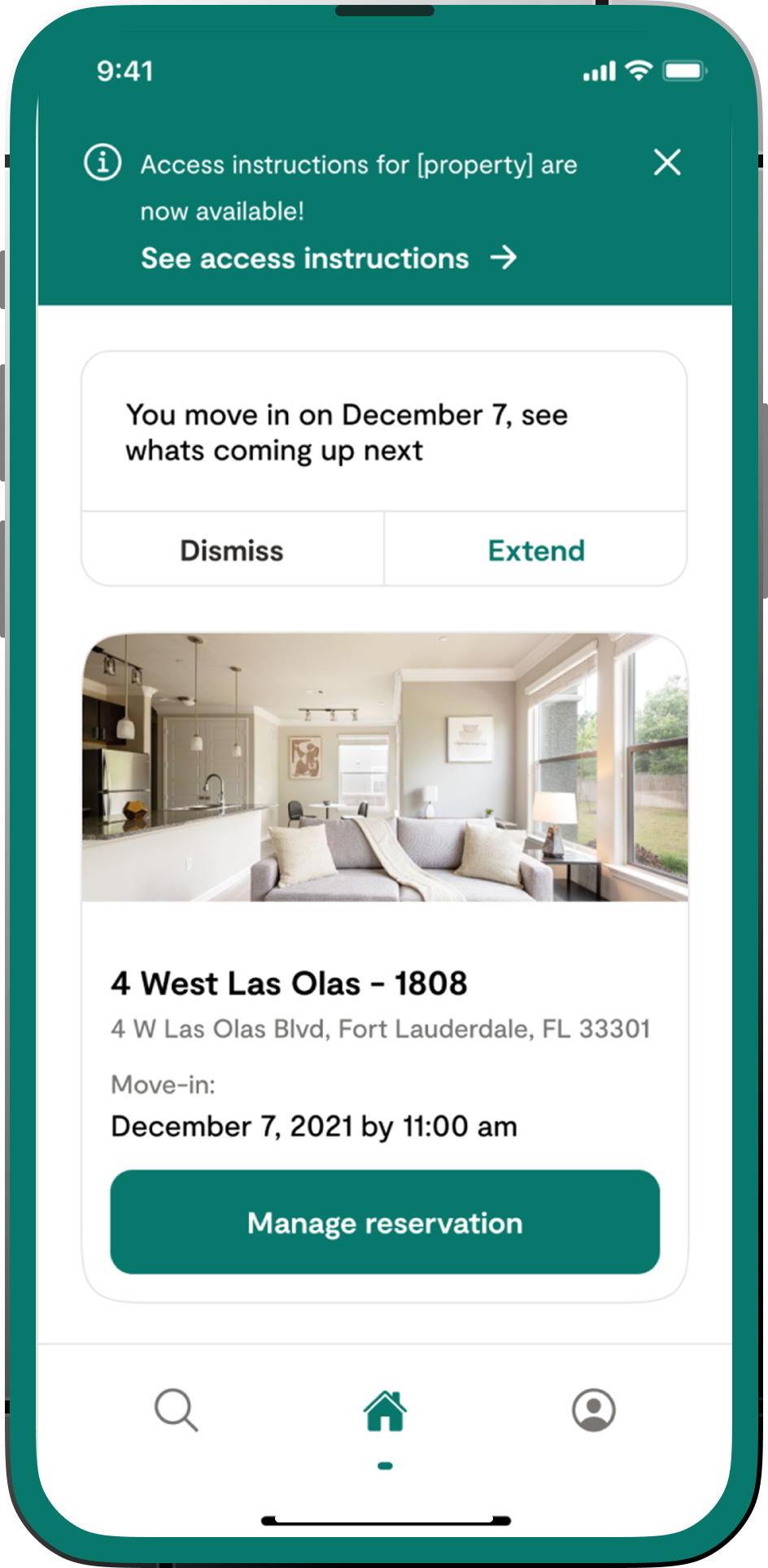
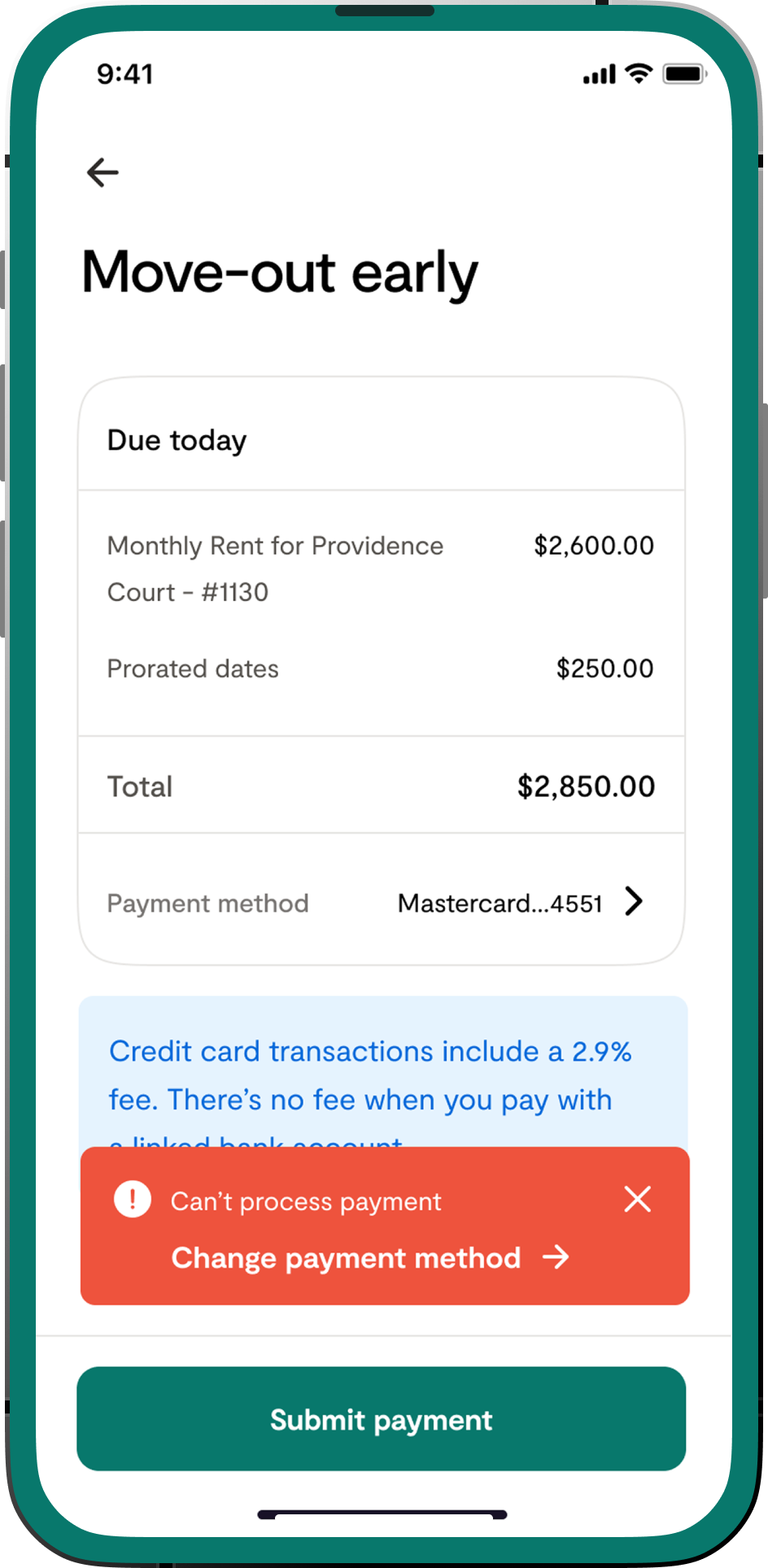
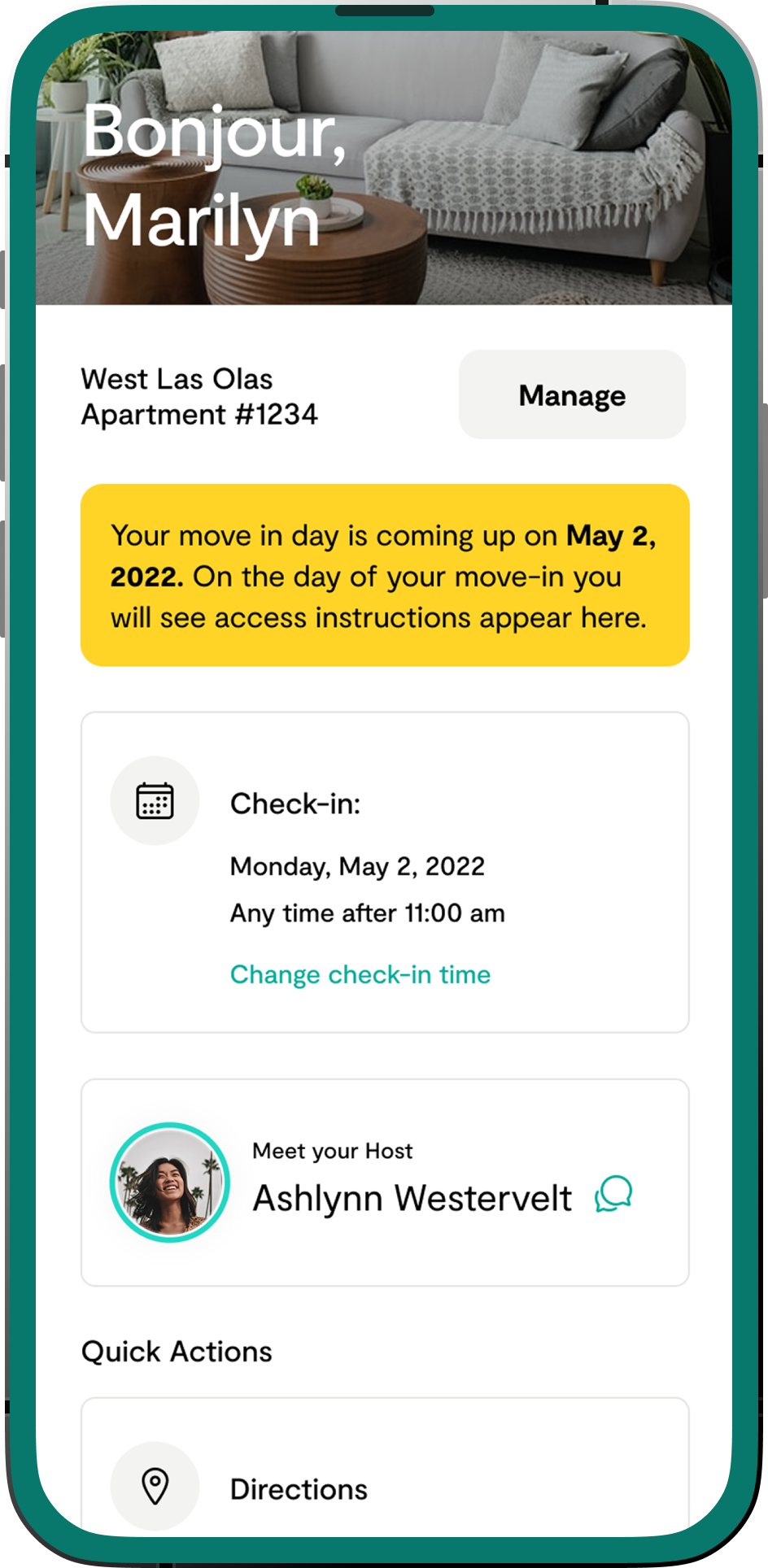
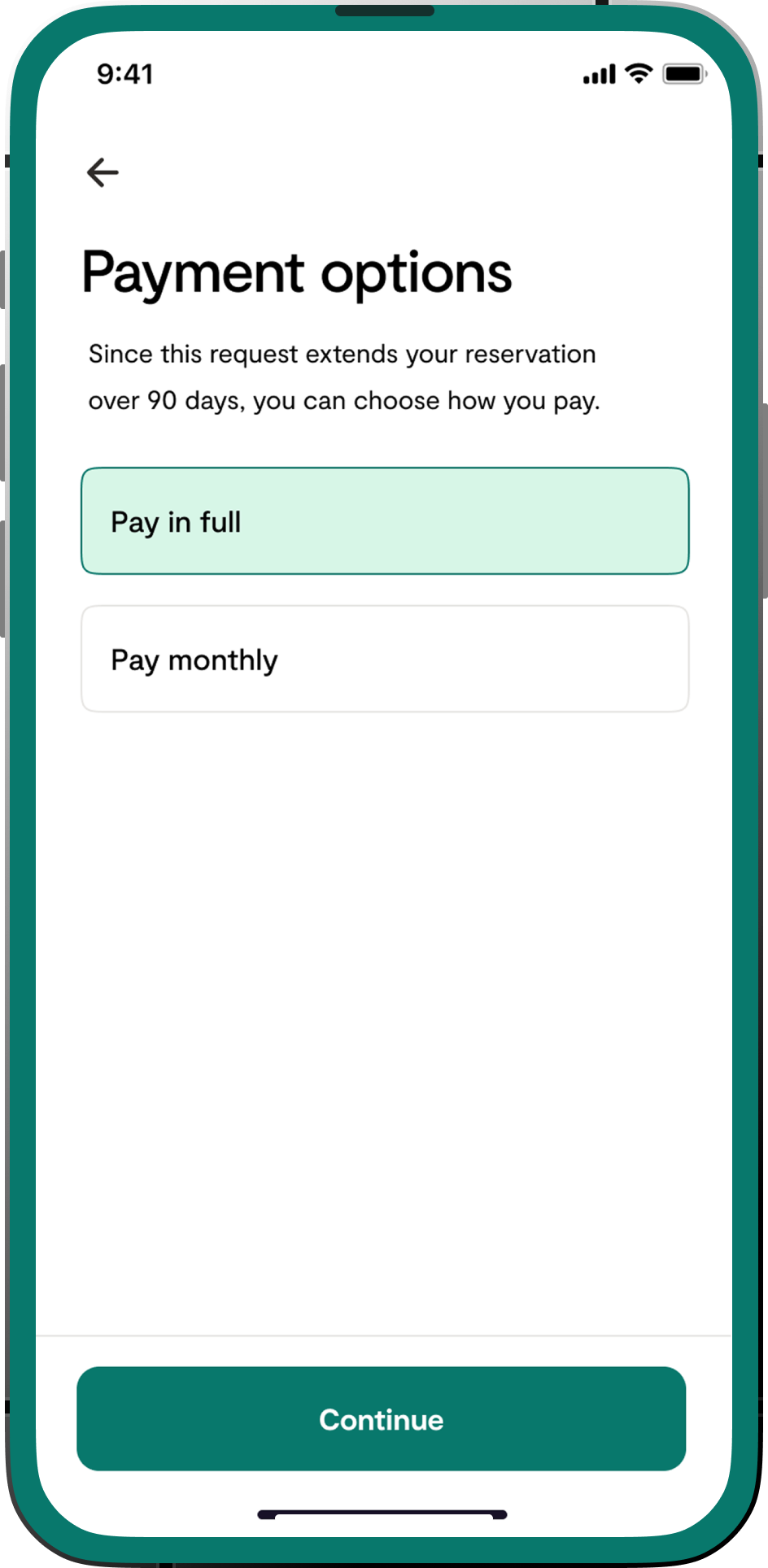
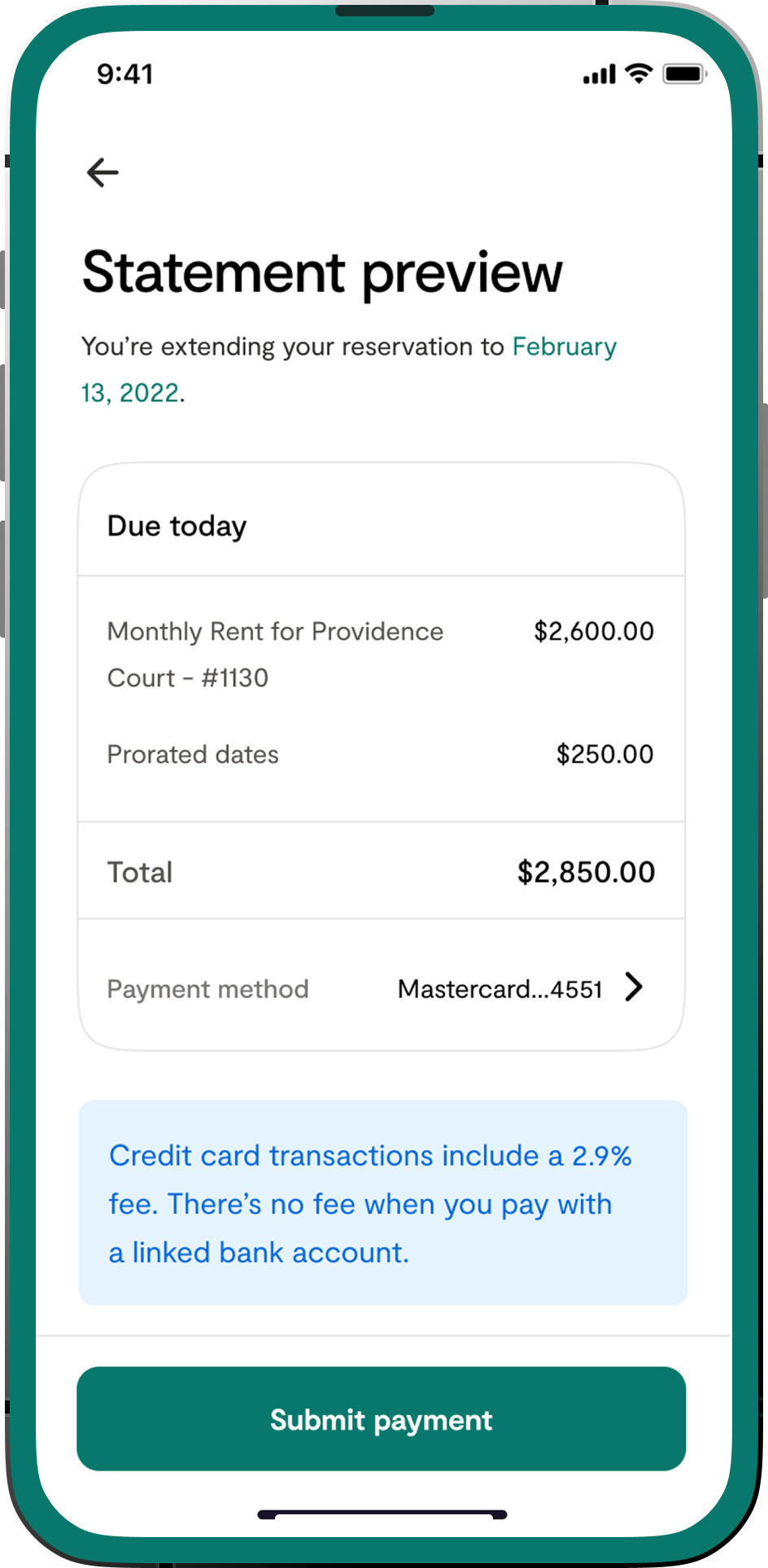
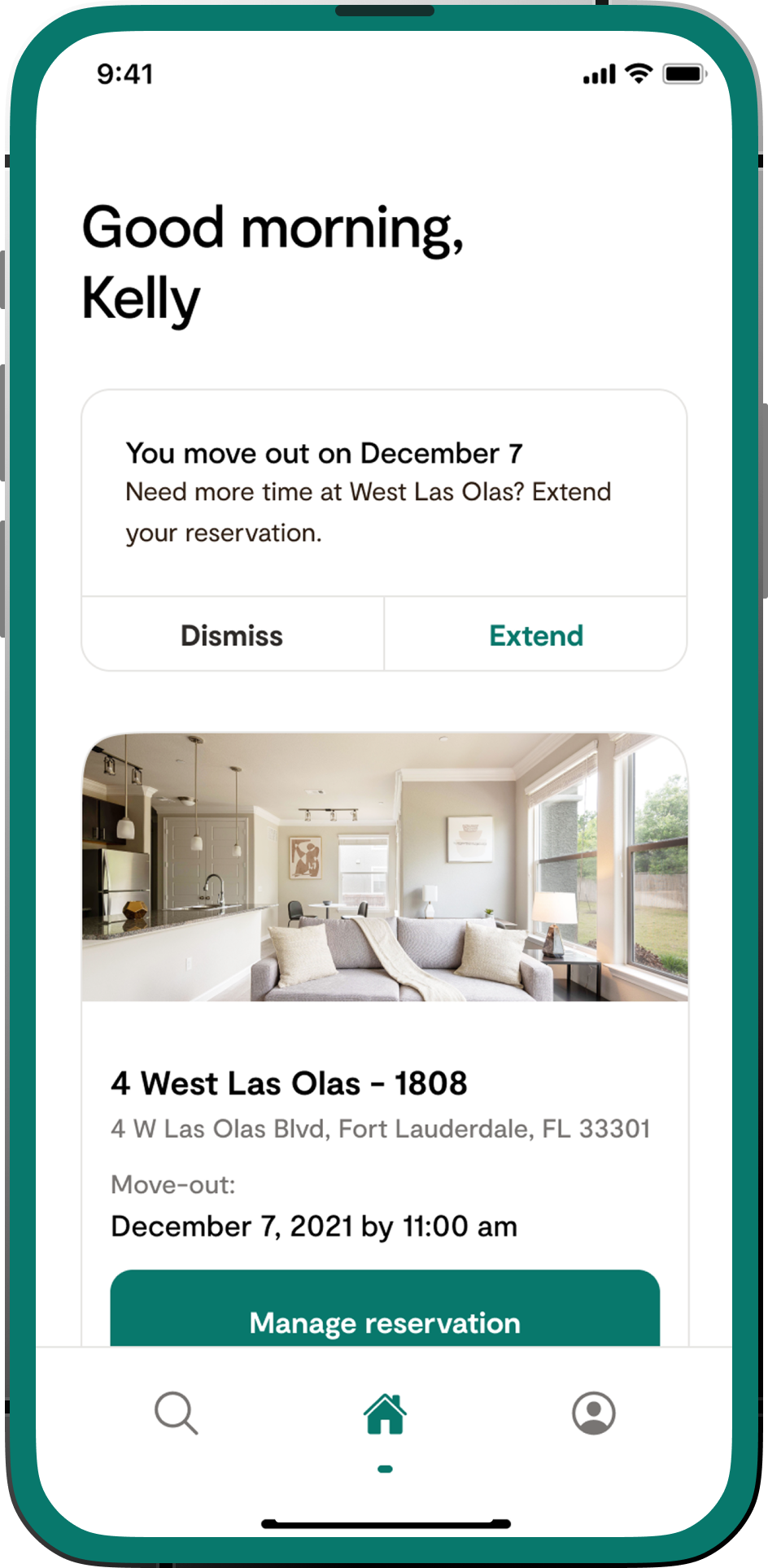
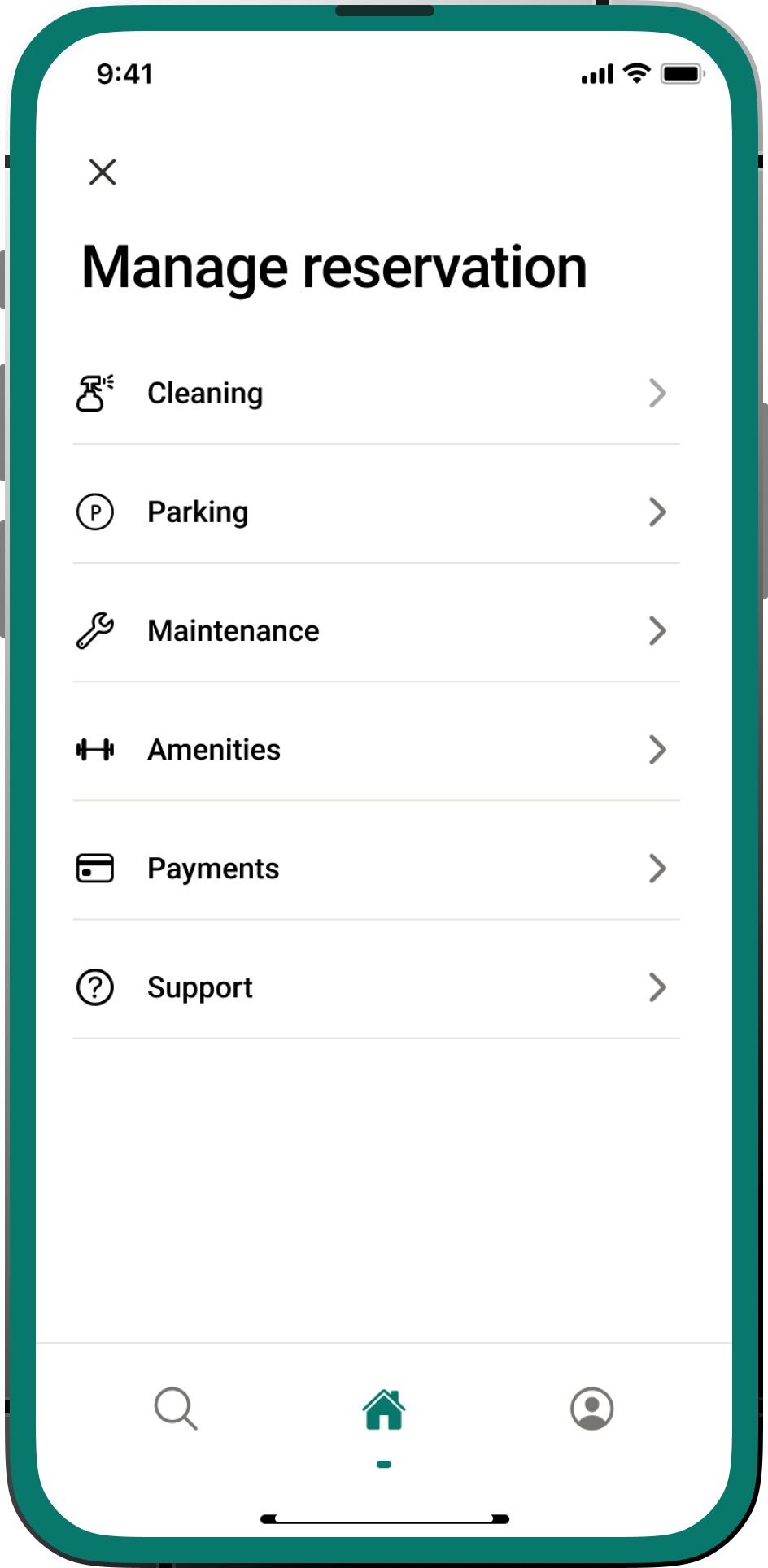
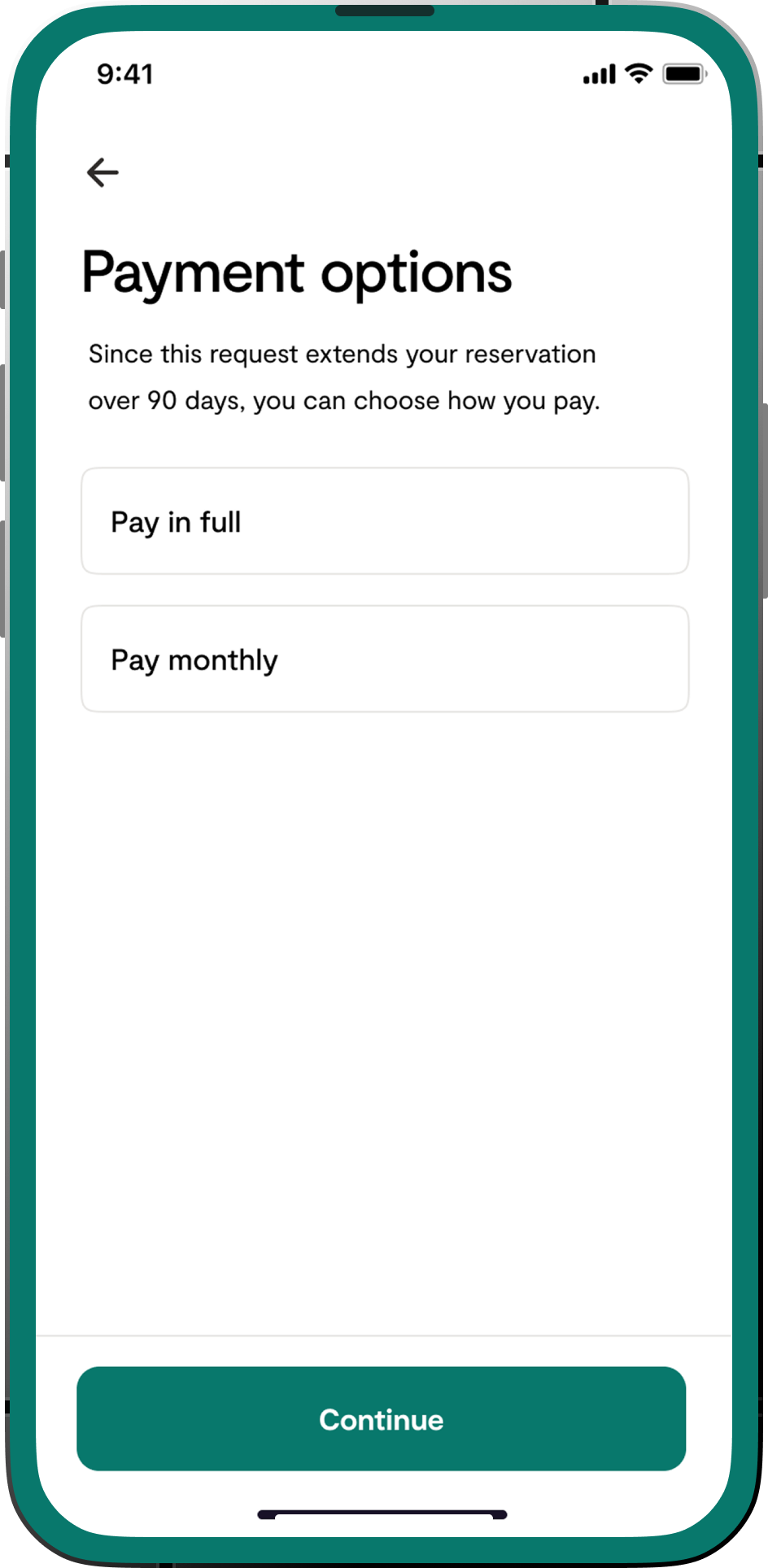
Visual Designs - Tenant Self Check-In, Manage & Edit Reservations, Payments, Notifications

Challenges

Inefficient Check-in

Members often relied on manual coordination with local teams or hosts for key collection and entry instructions, leading to delays, frustration, and inconsistent experiences.

Communication Gaps

Members lacked a direct, integrated channel to communicate with their apartment hosts for immediate questions or support, often resorting to less efficient methods like phone calls or external messaging apps.

Limited Self-Management

Members had limited visibility into their active and upcoming reservations and lacked the ability to modify or view details of their bookings independently.

Quick Insights

Reduced admin manual check-in coordination by: 23%

Saw a 36% reduction in phone calls to support related to apartment queries, with most shifting to the in-app chat.

Post-launch surveys showed a noticeable increase in positive feedback regarding ease of check-in and information access.

Contributed to higher rebooking rates and positive reviews, reinforcing Hello Landing's brand as a convenient and flexible housing solution.

Process

As the lead designer for this feature, I was responsible for conducting user research to understand tenant needs and pain points related to lease renewal, defining the user flow and information architecture for the feature, creating wireframes and interactive prototypes, designing the user interface to be intuitive and easy to navigate. I collaboarted with developers on the technical feasibility and implementation, and conducting usability testing to ensure a positive user experience.

Discovery and Research

User Interviews & Surveys: Conducted interviews with current and past members to understand their check-in experiences, communication preferences, and pain points with managing reservations.

Stakeholder Workshops

Collaborated with operations, engineering, and customer support teams to map out existing processes, identify technical constraints, and align on business objectives.

Competitive Analysis

Analyzed how other short-term rental platforms (e.g., Airbnb, Sonder) handled check-in, communication, and reservation management.

Self-Check-in Flow

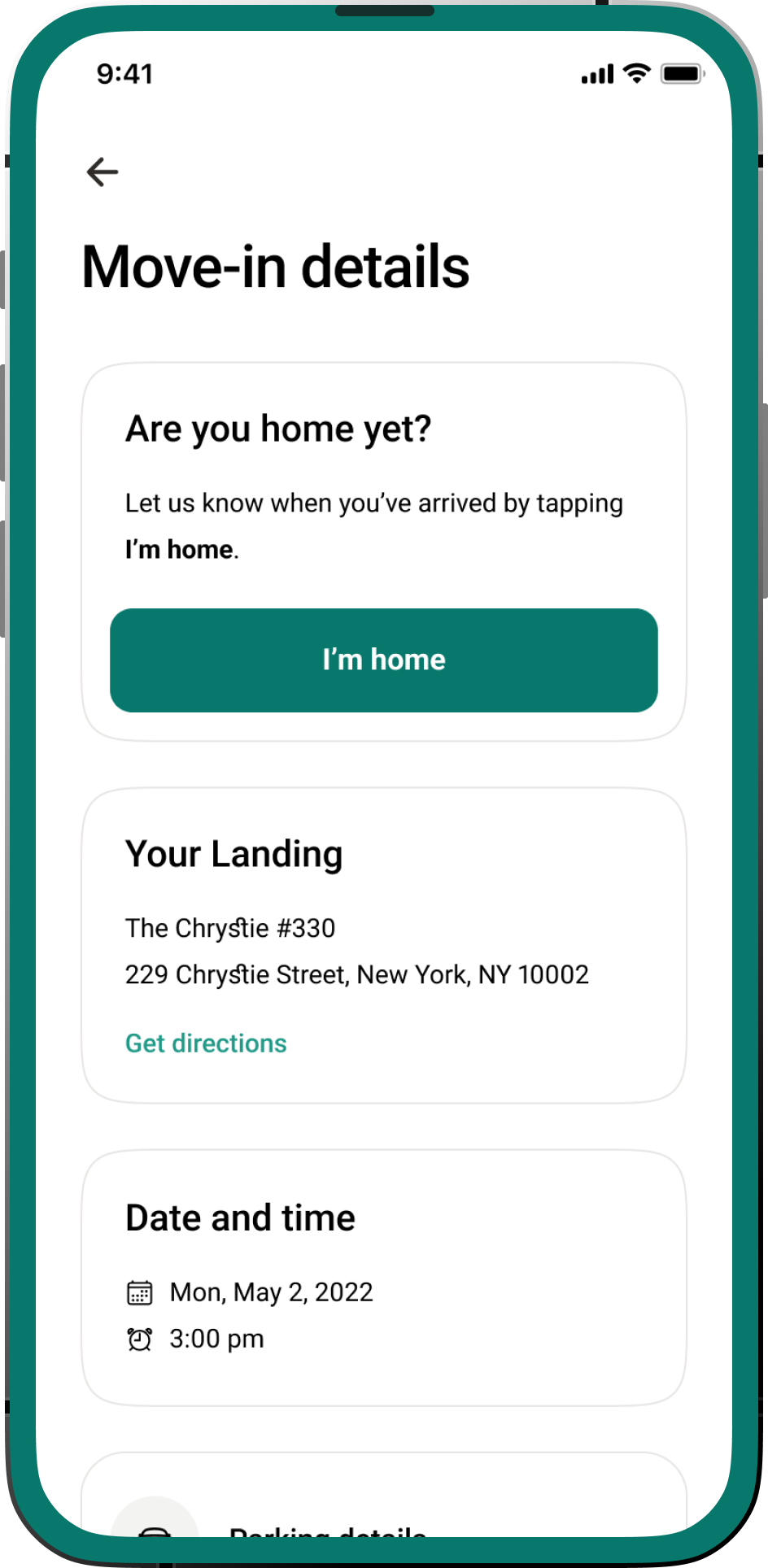
Designed a step-by-step guided experience, from "Ready to Check In" status to accessing key codes/instructions.

Visual Designs - Tenant Self Check-In, Manage & Edit Reservations, Payments, Notifications

Outcomes and Solution

In-App Chat Interface

Drafted chat screens mimicking familiar messaging apps, with clear indicators for message status and host availability.

Stakeholder Workshops

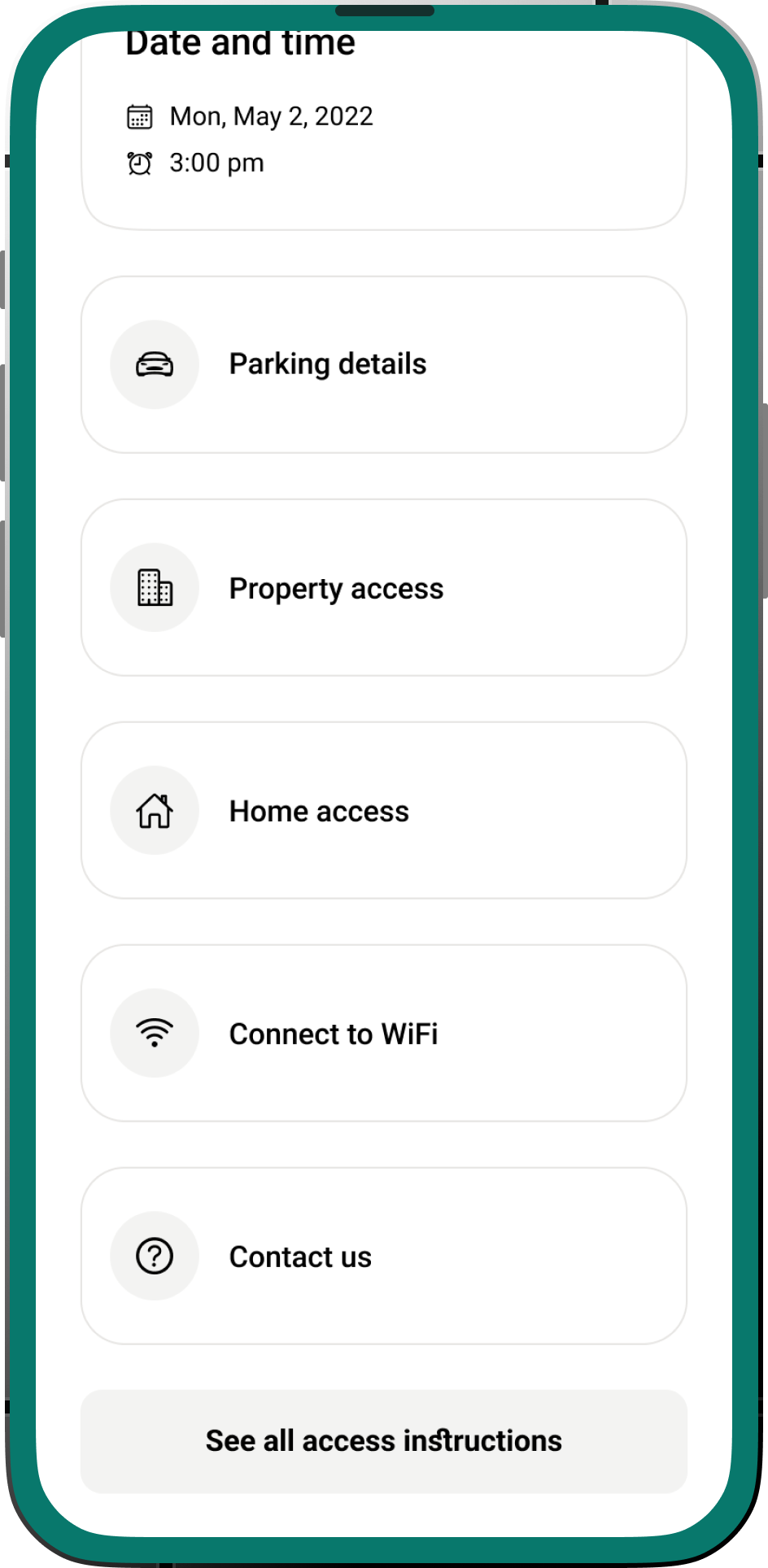
Sketched a dedicated section within the apartment details view for categorized instructions (e.g., "Access," "Wi-Fi," "Appliances").

Reservation Dashboard

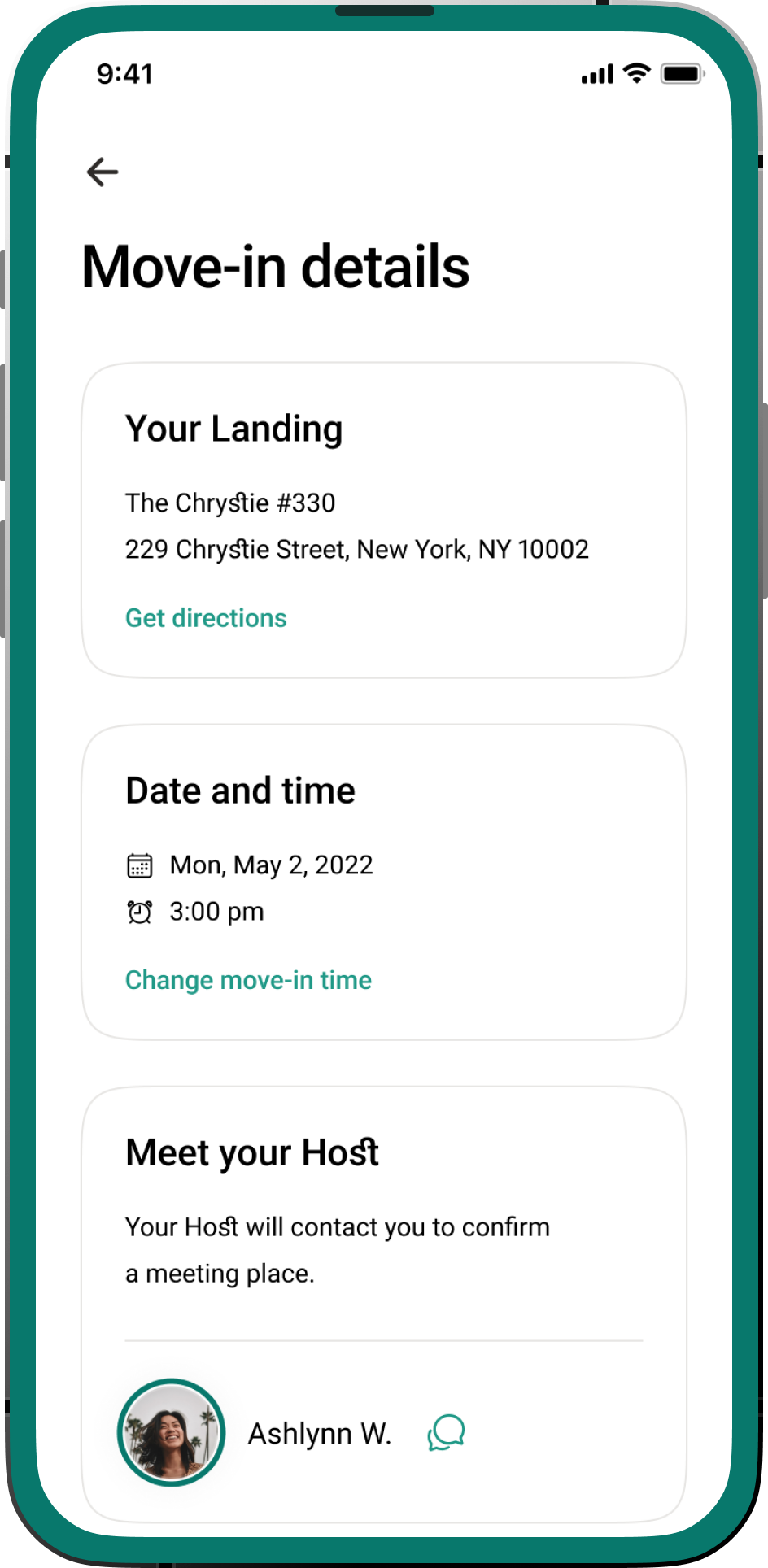
Laid out a primary dashboard showing current, upcoming, and past reservations with key details and action buttons.

Reservation Management

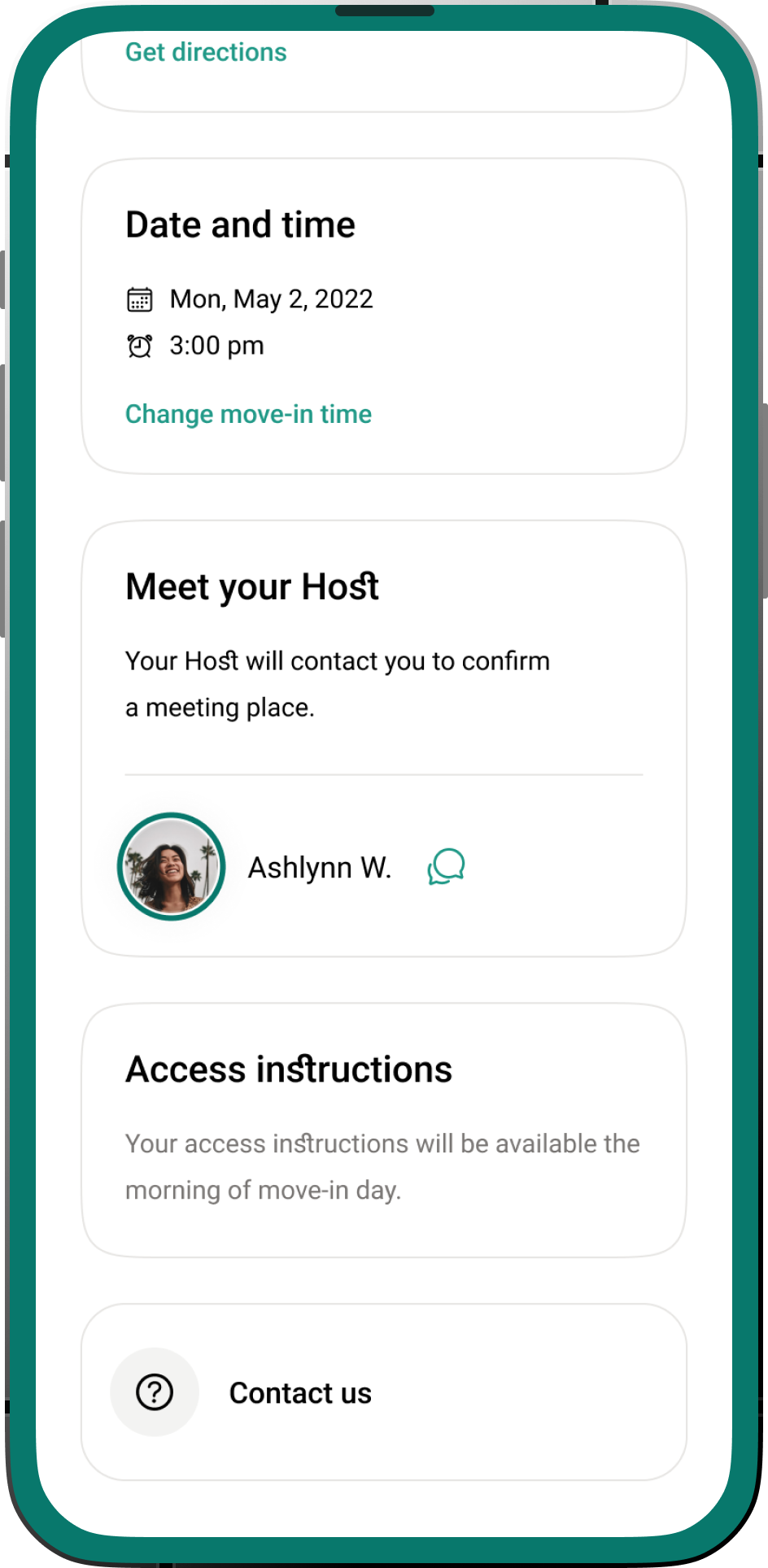
A clear overview of all current, upcoming, and past bookings. - Key Details at a Glance: Displayed check-in/check-out dates, apartment address, and host contact. - Action Buttons: Direct links to "View Check-in Instructions," "Chat with Host," and "Extend Stay" - Booking History: Easy access to details of previous stays for reference.

Tenant/Member Self-Check-in Experience

A persistent chat icon within the active reservation view led to a private conversation thread with the assigned host. - Push Notifications: Implemented push notifications for new messages to ensure timely responses. - Attachment Support: Allowed for sending photos (e.g., to report an issue or show a specific item).

Apartment Check-in Instructions for Tenants and Hosts

A clear, navigable section within the apartment details. - Categorized Content: Organized instructions into logical categories (e.g., "Building Access," "Wi-Fi & Utilities," "House Rules," "Local Amenities"). - Search & Bookmark: Future consideration for search functionality and ability to bookmark frequently accessed instructions.